How to Use the VAT Calculator UK | Add & Remove VAT in Seconds
Value Added Tax (VAT) is one of the most common taxes in the UK. It applies to most goods and services, from food items to digital products. The current standard VAT rate is 20%, set by the UK government.
For businesses, accurate VAT calculation is essential. It affects invoices, product prices, and compliance with HMRC rules. For users, it ensures transparency—knowing the exact amount of tax paid on purchases. Even small errors can lead to mispricing or issues during audits.
This is where an online VAT calculator makes life easier. Instead of manual formulas, you can add or remove VAT from any amount in seconds. Whether you’re checking the net price of a product or calculating the gross price including VAT, the tool delivers quick and reliable results.
According to vatukcalculator.com, thousands of UK businesses and individuals use these VAT calculators daily to check figures, manage accounts, and prepare tax records. Using these calculators is faster and also helps reduce the risk of costly mistakes. This makes them especially useful for businesses following the VAT Flat Rate Scheme, where accurate calculation of VAT is essential.
In this 2025 step-by-step guide, we’ll show you how to use the VAT Calculator UK to add or remove VAT in seconds. You’ll also learn how VAT works, the latest VAT rates, and practical examples for invoices, purchases, and services.
Whether you’re a business owner, freelancer, or just checking the VAT on a product, this guide will help you get accurate results every time. Understanding this process is especially helpful when learning how to claim a VAT refund in the UK, ensuring you reclaim the right amount efficiently.
Summary:
VAT is a key part of UK pricing and compliance. A simple VAT calculator helps both businesses and users easily add or remove VAT, ensuring accurate and stress-free calculations.
What is VAT and How Does it Work?
Summary:
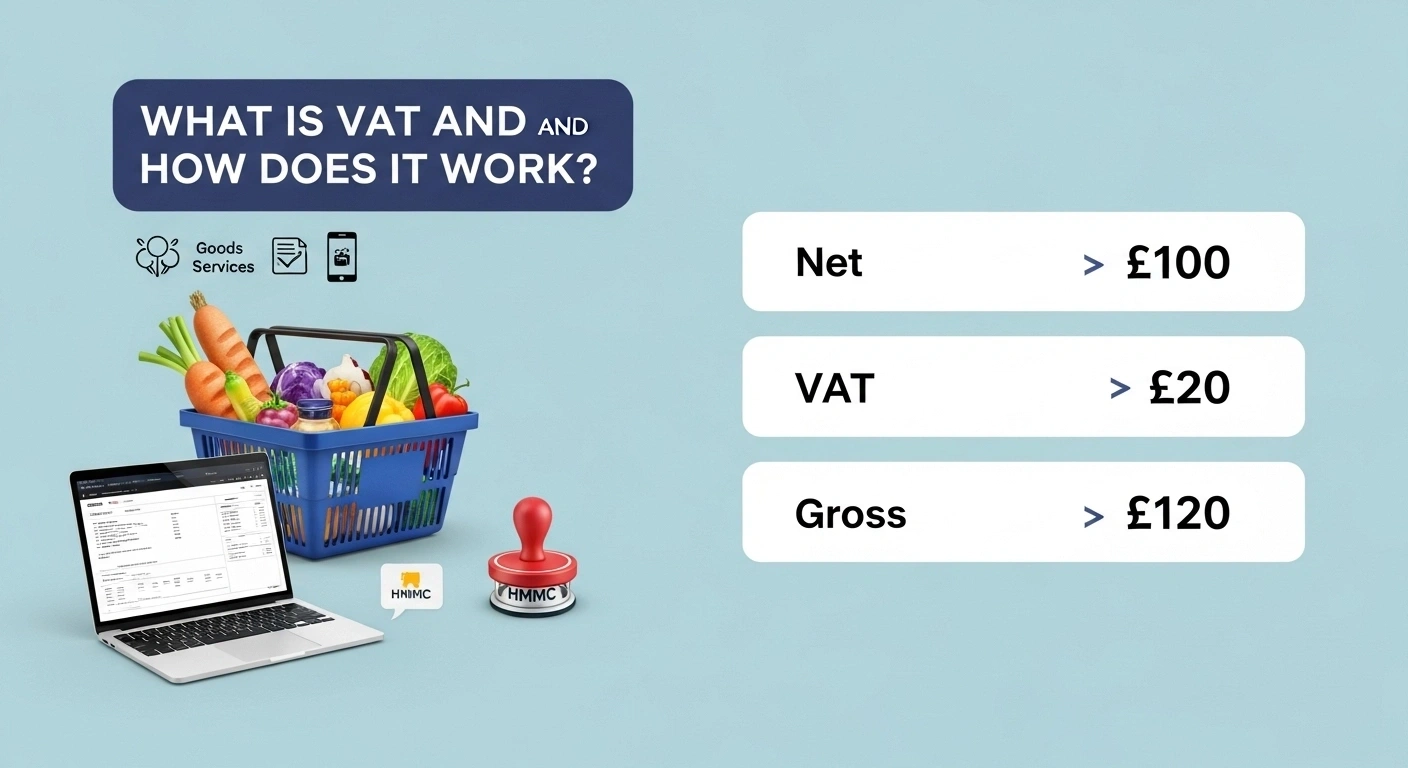
VAT is a multi-stage tax system that differs from sales tax. It applies to a wide range of goods, services, and digital products, making it a vital revenue source for the UK government while shaping how businesses set prices and report taxes.
Value Added Tax (VAT) is a consumption tax applied to most goods and services in the UK. Unlike income tax, which is paid on earnings, VAT is charged whenever value is added at each stage of production or sale. The end user, or customer, ultimately bears the cost. Understanding this is essential if you want to know how to work out VAT in the UK accurately for invoices, purchases, or services.
VAT in the UK vs. Sales Tax Abroad
Many countries, like the US, use a sales tax system, where tax is only applied at the final point of sale and businesses in the supply chain don’t charge or reclaim it. In contrast, the UK’s VAT system is collected in stages.
Each business charges VAT on its sales (output tax) but can also reclaim VAT paid on its purchases (input tax). This method makes VAT more transparent and fairer in tracking tax contributions across the supply chain. Understanding this system is key when calculating how much VAT is in the UK for different goods and services.
Why VAT Applies to Goods, Services, Digital Products, and Food
VAT covers most everyday transactions:
- Goods (clothing, electronics, household items).
- Services (consulting, repairs, professional work).
- Digital products (apps, software, streaming subscriptions).
- Food (though some items like children’s food and basic groceries may be zero-rated).
By applying VAT to such a wide range of items, the government ensures steady tax collection without relying solely on income taxes.
The Role of VAT in Business and Government Revenue
For businesses, VAT compliance is a legal duty. Registered businesses must charge VAT on sales, submit returns, and keep detailed records. For the government, VAT is one of the largest revenue streams, contributing billions annually to fund public services like healthcare and education.
Global VAT Comparison
While the UK uses VAT at a standard 20%, other countries apply different rates. For example, Germany charges 19%, France 20%, and South Africa 15%. This shows how UK VAT is competitive but still on the higher side compared to some global economies.
As Mirza Shafique points out in his analysis on vatukcalculator.com, VAT plays a dual role: helping businesses stay compliant while securing steady income for the government.
UK VAT Rates Explained (2025 Update)
Summary:
UK VAT has three main rates—20%, 5%, and 0%—plus exemptions. Everyday goods like electronics are standard-rated, while essentials like food and books often fall under the zero rate. Small businesses must watch the £90,000 threshold to stay compliant.
VAT in the UK is charged at different rates depending on the type of goods or services. As of 2025, the government applies three main rates, and knowing how to use the VAT Calculator UK can help businesses and users apply them correctly.
1. Standard Rate – 20%
This is the most common rate, covering most products and services. For example:
- Electronics and household goods
- Professional services
- Clothing for adults
Example: A laptop priced at £500 becomes £600 after adding 20% VAT.
2. Reduced Rate – 5%
The reduced rate applies to certain essential items and services, including:
- Children’s car seats
- Domestic energy (gas and electricity)
- Energy-saving home improvements
Example: A home energy bill of £100 adds £5 VAT, making the total £105.
3. Zero Rate – 0%
Some goods and services are taxable but charged at a 0% rate. Businesses selling them can still reclaim input VAT. These include:
- Children’s clothing and footwear
- Most food items (bread, milk, fruit, and vegetables)
- Printed books and newspapers
Example: A £50 basket of zero-rated groceries stays £50, though suppliers can reclaim their own VAT costs.
For full rate lists and exceptions, check the official table: UK VAT rates.
Exemptions
Certain services are fully exempt, meaning no VAT is charged, and businesses cannot reclaim input VAT. Examples include:
- Financial services
- Postage stamps
- Some healthcare and education services
VAT Thresholds for Small Businesses
In 2025, businesses must register for VAT if their taxable turnover exceeds £90,000 in 12 months (up from £85,000 in previous years). Small businesses under the threshold can register voluntarily to reclaim input VAT, but many choose not to.
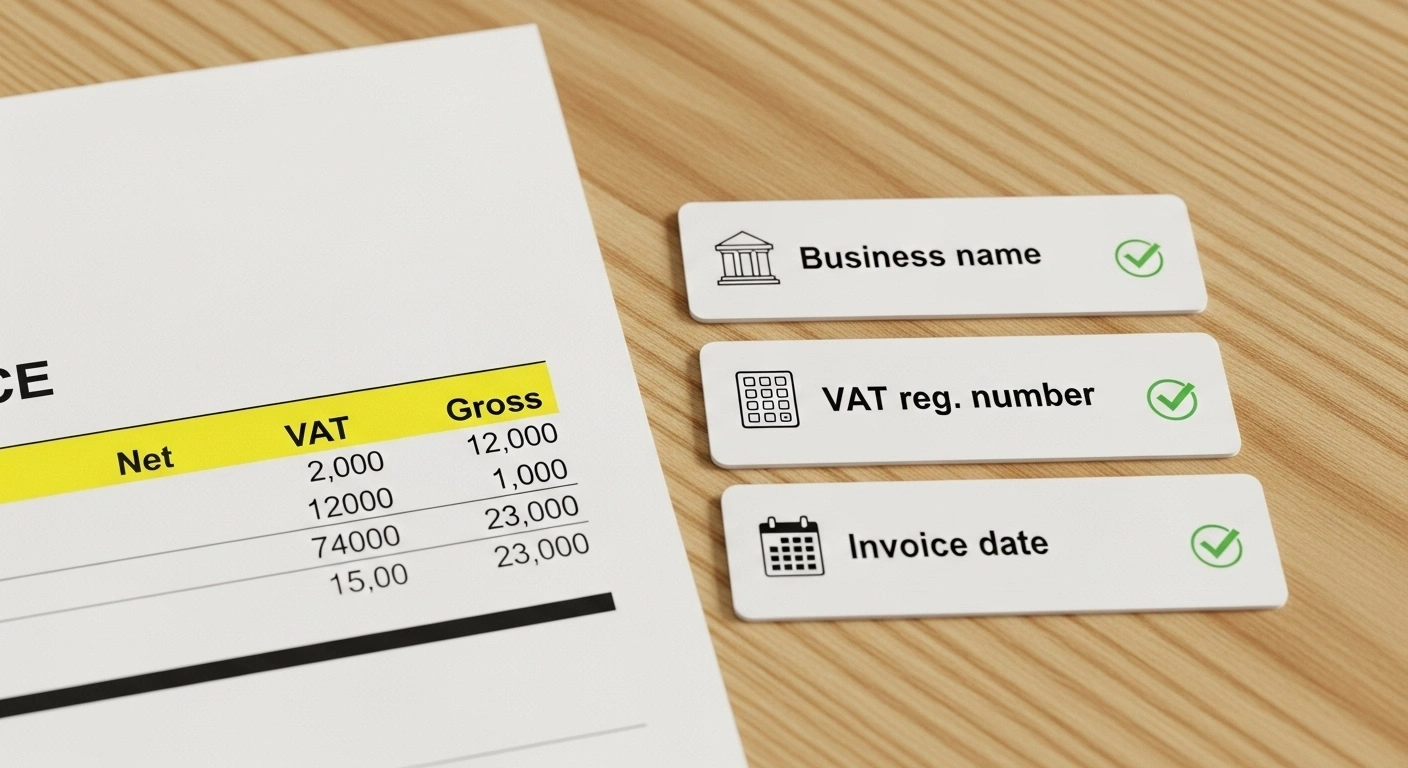
- If registered, show your VAT registration number on sales invoices.
- Round VAT to two decimals per HMRC guidance to avoid reconciliation gaps.
- Check HMRC notices for special rate exceptions.
Scenario Comparison
- Standard Rate: £100 shoes → £120 after VAT
- Reduced Rate: £100 energy bill → £105 after VAT
- Zero Rate: £100 children’s clothes → still £100
Exempt: £100 financial service → £100 (no VAT, no reclaimable input VAT)
Rounding Rules
HMRC guidance notes that VAT should usually be rounded to two decimal places. Errors in rounding (e.g., £19.999 instead of £20.00) can create discrepancies in invoices and VAT returns. Businesses should use calculators or accounting software that applies rounding correctly.
How to Calculate VAT Manually (Step-by-Step)
Summary:
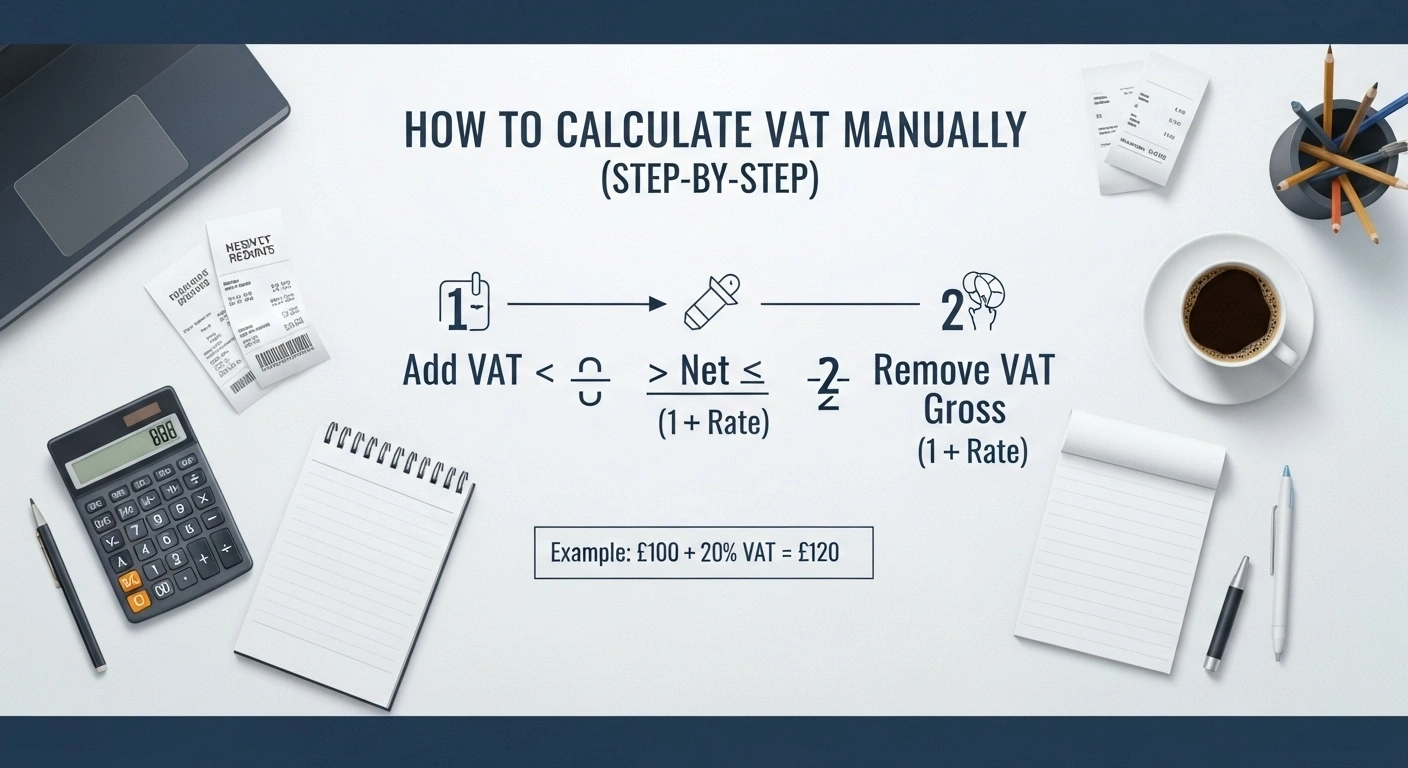
- To add VAT, multiply the net price by the VAT rate.
- To remove VAT, divide the gross price by 1 plus the VAT rate.
- Always check if a price is inclusive or exclusive, as this changes the total.
Calculating VAT yourself is simple once you know the formulas. Here’s how it works, though learning how to use the VAT Calculator UK can make the process even quicker and more accurate.
1. Adding VAT to a Net Price
When you start with a price excluding VAT, use this formula:
Formula:
Net Amount × VAT Rate = VAT Amount
Net Amount + VAT Amount = Gross Price
Shortcut: multiply net by 1.20 to get gross at 20%.
Example:
- Net Price = £100
- VAT = £100 × 20% = £20
- Gross Price = £120
This method is common when businesses show prices without VAT and need to add it later.
2. Removing VAT from a Gross Price
When the price already includes VAT, you need to reverse the calculation.
Formula:
Gross Price ÷ (1 + VAT Rate) = Net Amount
Gross Price – Net Amount = VAT Amount
To reverse, divide gross by 1.20 to get net.
Example:
- Gross Price = £120
- Net Price = £120 ÷ 1.20 = £100
- VAT = £20
This approach is often used in receipts or when checking how much VAT was included in a bill.
3. VAT-Inclusive vs. VAT-Exclusive Prices
It’s important to know whether the price shown already includes VAT.
- VAT-Inclusive Price: The final amount a customer pays. Example: £120 for shoes, including £20 VAT.
- VAT-Exclusive Price: The base price before VAT is added. Example: £100 for the same shoes, VAT not included.
Practical Scenarios:
- A business invoice might show a VAT-exclusive price of £500, plus 20% VAT = £600 total.
- A restaurant bill often lists VAT-inclusive prices, so the £50 meal already includes VAT.
- An online purchase may display both, helping users understand the breakdown.
Using the VAT Calculator Tool (Fast & Accurate)
Summary:
A VAT calculator helps you add or remove VAT instantly. It’s faster, more accurate, and more convenient than manual math, making it essential for both personal use and businesses.
A VAT calculator tool makes adding or removing VAT simple. Instead of working out formulas by hand, you just enter the numbers and get instant results.
How to Add or Remove VAT in Seconds
1. Enter the amount (net or gross).
2. Choose the VAT rate (standard 20%, reduced 5%, or custom).
3. Click calculate → the tool shows:
- VAT amount
- Net price (excluding VAT)
- Gross price (including VAT)
In seconds, you know the exact figures without errors.
Why Use an Online Calculator Instead of Manual Calculation?
Manual VAT formulas are easy, but mistakes happen. A calculator page saves time and ensures accuracy.
- Accuracy: No risk of wrong math.
- Speed: Results in one click.
- Clarity: Shows net, VAT, and gross side by side.
- Flexibility: Works for any VAT percentage, not just 20%.
Key Features for Businesses and Users
- Time-saving: No need for spreadsheets.
- Mobile-friendly: Calculate VAT anywhere—on invoices, receipts, or purchases.
- Business use: Perfect for e-commerce, freelancers, and small businesses sending invoices.
- Trustworthy results: Based on official UK VAT rates.
- Always cross-check calculator results against official invoices before filing.
- Use keyboard and mobile controls — the tool is mobile-friendly.
Real-Life VAT Calculation Examples
Summary:
- Physical goods and meals usually carry 20% VAT.
- Zero-rated items like books or children’s clothes stay VAT-free.
- SaaS and cross-border services may use the reverse charge system.
- These examples show how VAT changes the final price depending on the product or service.
Examples make VAT easier to understand. Here are four real-world cases based on common UK purchases and services, showing how learning how to use the VAT Calculator UK can simplify the process.
Example 1: UK Shop Selling Physical Goods
A shop sells shoes priced at £50 (net).
- Standard VAT is 20%.
- VAT = £50 × 20% = £10
- Final Price (Gross) = £50 + £10 = £60
A customer pays £60 total, with £10 going to HMRC.
Example 2: Restaurant Meal
A dinner bill shows a net amount of £40. VAT at 20% applies.
- VAT = £40 × 20% = £8
- Final Price (Gross) = £40 + £8 = £48
The customer pays £48, and the restaurant later submits £8 VAT to HMRC.
Example 3: Book Purchase (0% VAT)
Books, newspapers, and children’s clothing often fall under the zero-rated category.
- Net Price = £15
- VAT at 0% = £0
- Final Price = £15
The customer pays only £15, with no VAT charged.
Example 4: SaaS Subscription (B2B Reverse Charge)
A UK business buys a £100 monthly subscription from a US SaaS provider.
- Reverse charge applies: No VAT on the invoice.
- The UK business must self-account for 20% VAT (£20) on its VAT return.
- If the business can reclaim VAT, the net cost remains £100.
The reverse charge ensures UK VAT rules apply even to overseas services.
VAT-registered importers can usually reclaim import VAT as input VAT.
Common VAT Mistakes (and How to Avoid Them)
Even with a VAT calculator, mistakes can still happen. Here are the most common errors businesses and users face — and how to prevent them:
1. Using the Wrong VAT Rate
Not all items are taxed at 20%. Some goods, like children’s clothing, books, and most food items, have reduced or zero VAT. Applying the wrong rate inflates or underreports tax.
Fix: Always check the latest UK VAT rates before calculations.
2. Confusing VAT-Inclusive and VAT-Exclusive Prices
Mixing up net (without VAT) and gross (with VAT) figures can distort invoices, receipts, and reports.
Fix: Clearly label all prices as either VAT-inclusive or VAT-exclusive in your documents.
3. Claiming VAT on Exempt Items
Certain services like insurance, education, or health care are VAT-exempt. Trying to reclaim VAT on these leads to compliance issues.
Fix: Double-check whether a product or service is zero-rated, reduced-rated, or exempt before deducting.
4. Ignoring Government VAT Updates
Rates, thresholds, and exemptions change over time. Many businesses continue using outdated percentages or rules.
Fix: Stay updated with HMRC announcements or use an online VAT calculator tool that applies the latest rates.
- Don’t omit your VAT number on invoices when registered.
- Pick cash or accrual accounting correctly to avoid timing errors.
Avoiding these mistakes saves businesses time, prevents penalties, and ensures accurate calculations, results, and compliance.
Advanced VAT Scenarios for Businesses
Summary:
Our analysis shows most VAT issues in business come from input vs. output tracking, mixed VAT rates, and cross-border trade. Using an online VAT calculator with multi-rate support reduces errors and saves time.
VAT isn’t always straightforward. Once a business grows, it faces more complex cases. Let’s break down the main ones:
1. Input VAT vs. Output VAT
- Input VAT is the tax you pay on purchases, like stock, software, or services.
- Output VAT is the tax you charge customers on sales.
Example:
- A shop buys goods worth £500 + £100 VAT (input VAT = £100).
- It sells them for £1,000 + £200 VAT (output VAT = £200).
- The business pays HMRC the difference (£200 – £100 = £100).
This system ensures VAT is only collected on the value added at each stage.
2. Multiple VAT Rates in One Invoice
Some invoices include products with different VAT rates.
Example:
A supermarket receipt might show zero-rated bread, 20% VAT on soft drinks, and 5% VAT on children’s car seats.
If businesses don’t separate these, the final calculation becomes messy and inaccurate.
Clear itemization ensures each product gets the right VAT treatment.
3. Cross-Border Purchases and Exports
International trade makes VAT tricky:
- Imports from the EU/overseas: UK buyers usually pay import VAT at the border.
- Exports outside the UK: Many goods and services are zero-rated if proof of export is available.
- B2B digital services: Often subject to the reverse charge mechanism (the buyer accounts for VAT instead of the seller).
Businesses must track these carefully to avoid double taxation or missing VAT obligations. For B2B cross-border services, the reverse charge often applies. Check the customer’s location rules for the place of supply.
Filing and Reporting VAT in the UK
Summary:
To stay compliant, businesses must keep accurate records, file quarterly VAT returns, and follow MTD rules. Filing online ensures HMRC gets quick access to your VAT data, reducing delays or errors.
Staying compliant with VAT rules is just as important as calculating it correctly. Businesses must report VAT to HMRC on time to avoid penalties.
1. Keeping Accurate Records
Every business registered for VAT must keep clear records of:
- Sales invoices (with VAT charged).
- Purchase invoices (with VAT paid).
- Credit notes and refunds.
These records help track input VAT and output VAT and ensure the right amount is reported.
2. VAT Returns Basics
Most businesses file VAT returns every quarter. A VAT return includes:
- Total sales and purchases.
- How much VAT was charged to customers?
- How much VAT was paid on business expenses?
- The final figure owed to HMRC (or refundable if input VAT is higher).
Example:
If your shop charged £2,000 VAT in sales but paid £1,200 VAT on purchases, you submit £800 to HMRC.
3. Making Tax Digital (MTD)
The UK government requires most VAT-registered businesses to use Making Tax Digital (MTD). File VAT returns on time to avoid penalties and interest charges. Use HMRC-approved software or the HMRC portal for MTD submissions.
- Businesses must keep digital records.
- VAT returns must be submitted using compatible software (not manually).
- This reduces human errors and speeds up government processing.
4. Submitting VAT to HMRC
VAT returns are filed online through:
- The HMRC portal, or
- Approved MTD-compatible accounting software (e.g., Xero, QuickBooks).
According to vatukcalculator.com, using software makes compliance easier for small businesses by automating calculations and record-keeping.
Tools & Software for VAT Automation

Summary:
VAT automation tools range from simple online calculators to full accounting software. Businesses gain accuracy, save time, and stay compliant by integrating these tools directly into invoices and product pages.
Manual VAT calculations take time and often lead to mistakes. That’s why many businesses now rely on automation tools to handle tax tasks more efficiently.
1. VAT Calculator Sites & Online Tools
Online VAT calculators make it easy to:
- Add or remove VAT instantly.
- Enter an amount, rate, or percentage and get accurate results.
- Save time compared to manual formulas.
According to vatukcalculator.com, small businesses use calculators as a quick check before filing VAT returns or sending invoices.
3. Integration with Invoices and Product Pages
For e-commerce and service websites, VAT tools can be embedded into:
- Product pages (showing VAT-inclusive and VAT-exclusive prices).
- Invoices (breaking down the net amount, VAT, and final price).
Example:
An online shop selling shoes at £50 + 20% VAT can display both £50 net and £60 gross prices. This builds trust and prevents confusion for users.
Developer’s Corner (For Technical Users)
Summary:
Developers can implement VAT logic with simple PHP/Laravel functions, ready-to-use formulas, or by integrating APIs into larger business tools. This ensures accurate tax handling and smoother user experiences on digital platforms.
For developers, adding VAT features to projects is straightforward with the right formulas and code snippets. Whether you’re working on PHP, Laravel, or other frameworks, automation helps improve accuracy and saves time.
1. PHP / Laravel VAT Functions
A simple function can calculate VAT in PHP or Laravel:
function addVAT($amount, $rate = 20) {
return $amount + ($amount * ($rate / 100));
}
function removeVAT($gross, $rate = 20) {
return $gross / (1 + ($rate / 100));
}
-
addVAT(100, 20)→ returns 120 -
removeVAT(120, 20)→ returns 100
These functions can be extended for multiple VAT rates or localized rules.
2. Formula Snippets for Web Projects
Developers often need quick formulas for adding/removing VAT:
Add VAT → Net × (1 + Rate)
Remove VAT → Gross ÷ (1 + Rate)
Embedding these formulas into scripts ensures consistent results across invoices, product pages, or checkout systems.
3. API and Integration with Online Business Tools
Advanced setups may require:
- API-based VAT calculators for real-time tax calculation.
- Integration with eCommerce platforms like Shopify, WooCommerce, or custom-built sites.
- Syncing with accounting tools (QuickBooks, Xero, Sage) for automated reporting.
Example:
A SaaS platform can connect its billing system with a VAT API. The system automatically applies 20% VAT for UK users, 0% for exempt items, and logs the transaction for tax reporting.
Conclusion
VAT touches almost every transaction in the UK, from shopping for food to paying for digital subscriptions. For businesses, it’s a legal duty tied to compliance and HMRC reporting. For customers, it affects the final price they pay. Getting VAT wrong can mean financial loss, penalties, or broken trust with clients.
Our analysis shows that many mistakes happen when businesses rely only on manual math. That’s why learning how to use the VAT Calculator UK is the smarter option. It lets you add or remove VAT in seconds, ensures accuracy, and saves valuable time. According to vatukcalculator.com, thousands of UK users now depend on these tools to manage daily purchases, invoices, and tax returns without hassle.